Integrations and webhooks
A preference is only worth collecting if something acts on it. 4Preferences has two ways to get a preference change out of the platform, and they do different jobs.
- Core Preference Integrations turn a preference change into a 4Comply compliance input, so an opt-in captured on a preference page becomes part of the legal record. This is a mapping you configure, not code you write.
- Preference Webhooks call a URL of yours when something happens. This is how you tell your marketing platform, CRM or data warehouse.
If you want the contact's choice to reach Eloqua, Marketo or another sending system, a webhook is the mechanism in 4Preferences itself.
TODO(review): 4Comply syncs consent to Eloqua, and 4Bridge exists to move data between the platform and external systems. Confirm which of the three is the supported way to keep a marketing platform's own preference fields in step, so this page can recommend one instead of listing options.
Core preference integrations
A Core Preference Integration connects one core preference to 4Comply's consent model. When the preference changes, 4Preferences writes a compliance input for that contact, which is the record 4Comply derives a Permission from.
The screen is at /core-preference-integration. It is not in the left menu.
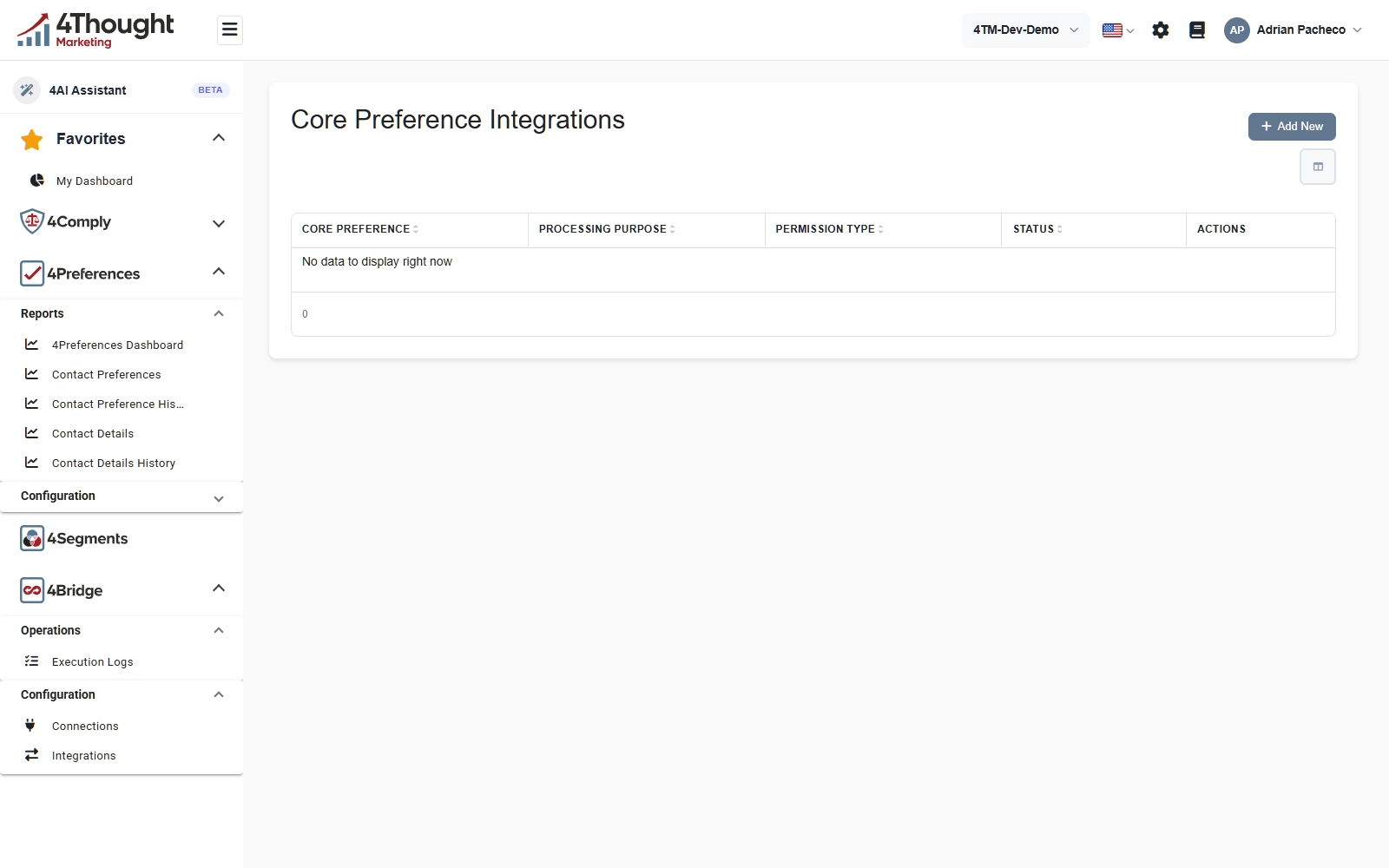
The demo tenant has none configured, so the figure shows the empty state. The four columns are the whole of an integration: which preference, which processing purpose, which permission type, and whether it is on.
An integration maps the preference's two states onto 4Comply's vocabulary.
| Setting | What it decides |
|---|---|
| Core Preference | which preference this integration watches. One integration per preference, and it cannot be pointed at a different one later. |
| Processing Purpose when on | the processing purpose recorded when the contact opts in |
| Processing Purpose when off | the processing purpose recorded when the contact opts out |
| Permission Type | the Master Permission Type the compliance input is written against |
| Consent code when on | the consent value written for an opt-in, yes unless you change it |
| Consent code when off | the consent value written for an opt-out, no unless you change it |
| Status | active or inactive. An inactive integration does nothing. |
Processing purposes and permission types come from 4Comply, not from 4Preferences. They are described in Master Permission Types and Permission Categories.
Only preferences with a single on-or-off answer can be integrated, because the mapping only
has two sides. In practice that means the Single Checkbox and Radio Buttons types.
GET /v1/corepreference-integrations/eligible-preferences lists the ones that qualify and
GET /v1/corepreference-integrations/available-preferences narrows that to the ones that do
not have an integration yet.
The compliance input 4Preferences writes fills itself in from what it already knows: the business unit comes from the core preference, the system is the tenant's highest-priority System, the activity date is now, and the source is recorded as 4Preferences with the core preference's name beside it. The country and state are whatever the caller supplied.
Test on a row asks for an email address and a value, runs the whole mapping, and tells you what it did. On success it reports Test integration successful. Compliance input created. That is a real compliance input on a real contact, so use an address you are happy to have consent history for.
TODO(review): the code path that turns a preference change into a compliance input is only called from the test endpoint. A preference page submission and an agent submission both write Contact Preferences and raise webhooks, but neither appears to run a configured integration. Confirm whether integrations are expected to fire automatically, because this page currently cannot say that they do.
Preference webhooks
A Preference Webhook is a URL of yours plus a list of events. When one of those events happens in your tenant, 4Preferences POSTs JSON to the URL.
Preference Webhooks is under Configuration.
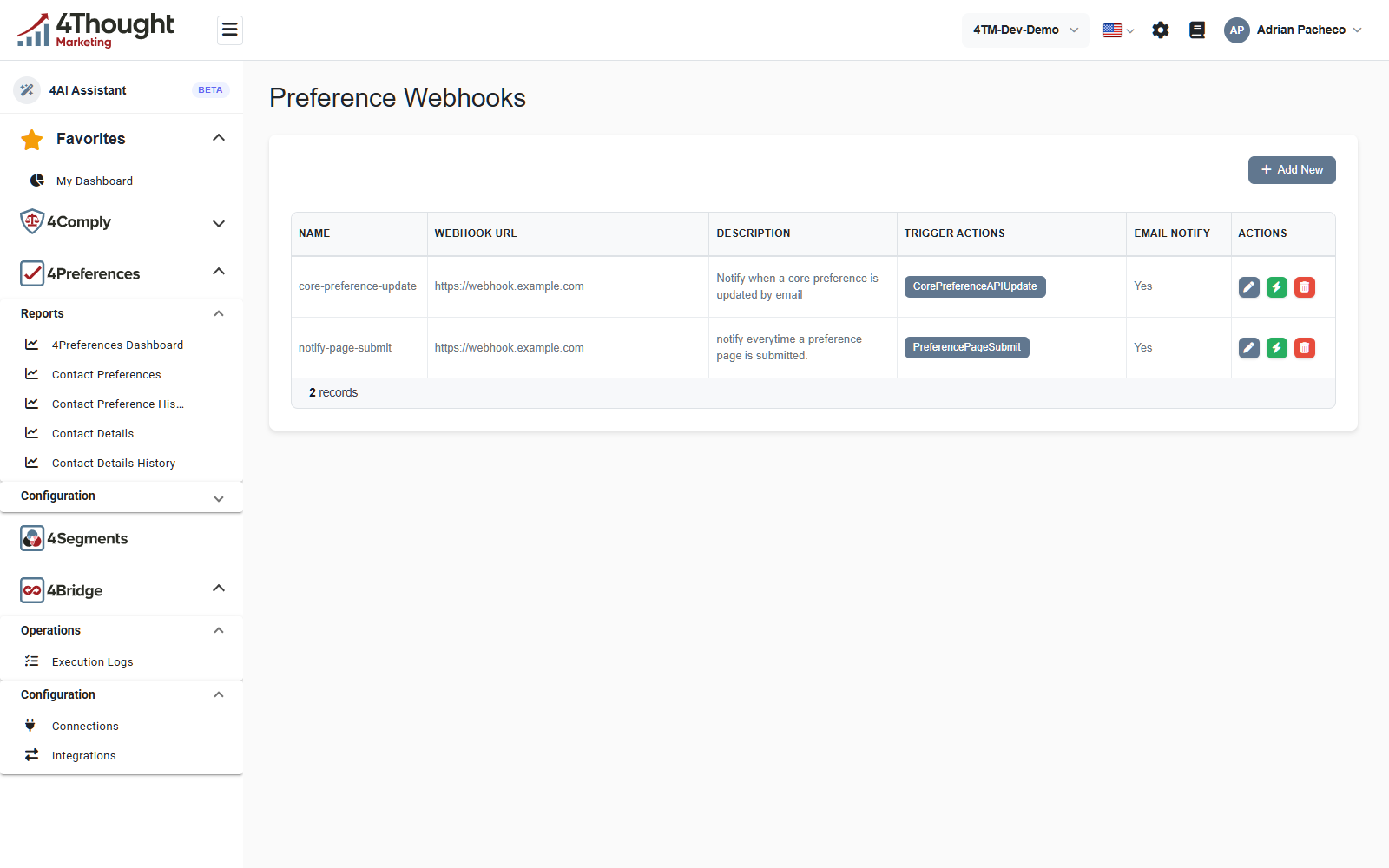
The columns are Name, Webhook URL, Description, Trigger Actions and Email Notify. Each row has a pencil, tooltip Edit; a green lightning bolt, tooltip Test Webhook, which sends a sample delivery immediately; and a red bin to delete. The URLs in this figure are illustrative: the real ones point at an internal 4thought Marketing host and have been replaced.
The Trigger Actions column shows the events a webhook listens for as tags. The demo
tenant's first webhook lists CorePreferenceAPIUpdate, which is not one of the events the
product currently offers, so treat that row as stale demo data rather than an example to
copy.
Creating one
+ Add New opens Add New Webhook, which starts with a collapsed panel titled What is a Webhook? & How to configure it?.
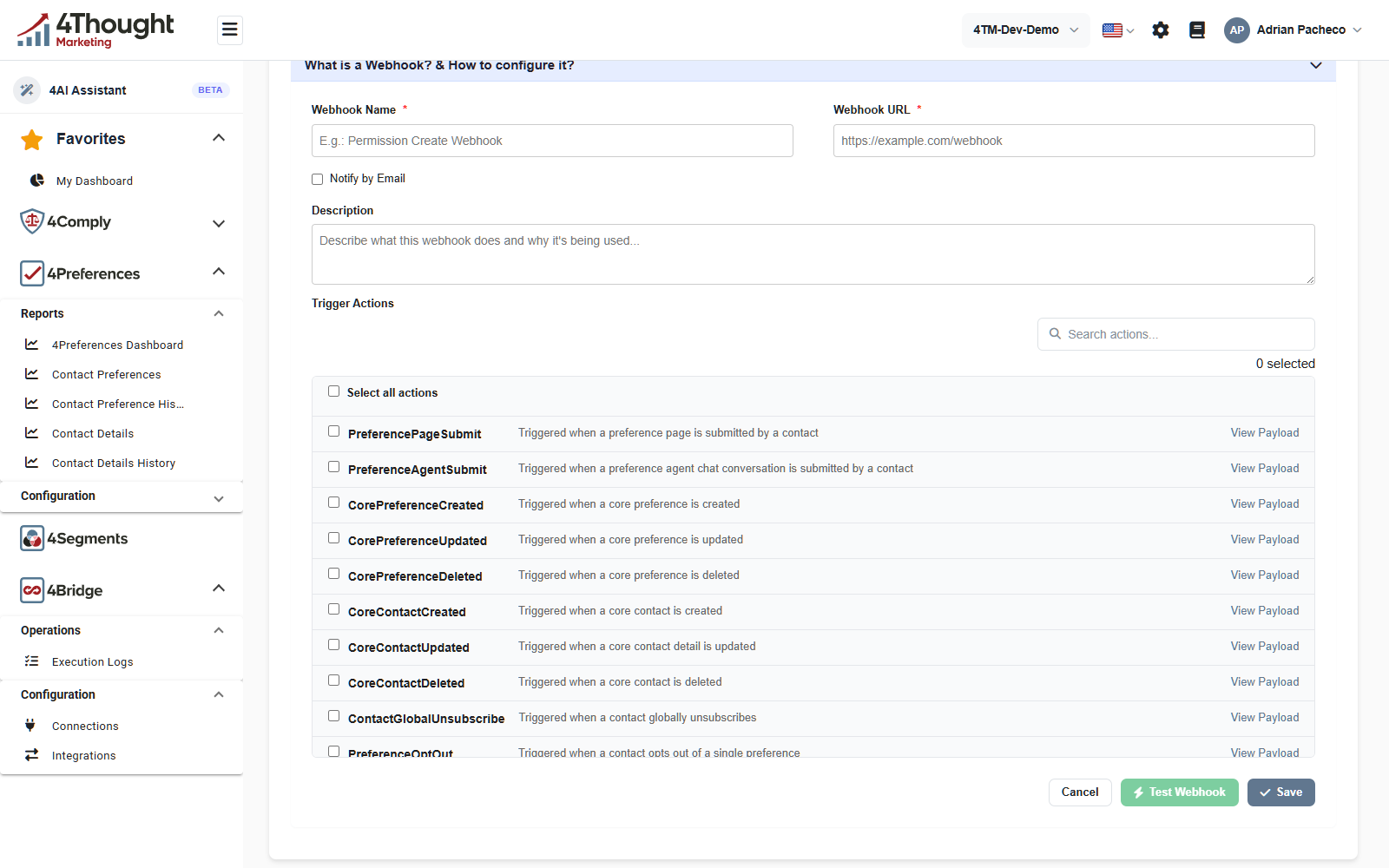
- Webhook Name, required, with the example E.g.: Permission Create Webhook.
- Webhook URL, required, with the example
https://example.com/webhook. It has to be a valid URL. - Notify by Email, a checkbox. Ticking it adds Email Recipients (comma-separated), whose helper line reads Separate multiple email addresses with a comma. The Email Notify column on the list then reads Yes.
- Description, free text: Describe what this webhook does and why it's being used...
- Trigger Actions, the list of events. A Search actions... box filters it, Select all actions takes the lot, and the counter on the right reads 0 selected until you tick something. View Payload on each row shows the JSON that event sends.
At the bottom, Cancel leaves without saving, Test Webhook sends a sample delivery to the URL, and Save creates the webhook.
The events
Eleven events are on offer, each with the product's own description.
| Event | Fires when |
|---|---|
PreferencePageSubmit |
a preference page is submitted by a contact |
PreferenceAgentSubmit |
a preference agent chat conversation is submitted by a contact |
CorePreferenceCreated |
a core preference is created |
CorePreferenceUpdated |
a core preference is updated |
CorePreferenceDeleted |
a core preference is deleted |
CoreContactCreated |
a core contact is created |
CoreContactUpdated |
a core contact detail is updated |
CoreContactDeleted |
a core contact is deleted |
ContactGlobalUnsubscribe |
a contact globally unsubscribes |
PreferenceOptOut |
a contact opts out of a single preference |
ChannelUnsubscribe |
a contact unsubscribes from a channel or frequency |
The first two tell you a submission happened. PreferenceOptOut and ChannelUnsubscribe
tell you what changed inside it, and they are the two most integrations actually need,
because they are the ones that mean stop sending something.
The payload
Every event has the same envelope. action is the event name, tenant_id is your tenant,
timestamp is UTC, and data differs per event. The values in this example are
illustrative, in the shape the product sends.
{
  "action": "PreferencePageSubmit",
  "tenant_id": "6a1f00c2b48e3d5417ab9d20",
  "data": {
    "page_id": "6a35b463384d7a331760fc5e",
    "page_name": "Preference Center Financial",
    "email": "demo1@example.com"
  },
  "timestamp": "2026-09-08T14:22:31.4180000Z"
}
The data object for the events an integration is most likely to want:
| Event | data fields |
|---|---|
PreferencePageSubmit |
page_id, page_name, email |
PreferenceAgentSubmit |
agent_id, agent_name, email, unsubscribed |
PreferenceOptOut |
email, core_preference_id, preference_name |
ChannelUnsubscribe |
email, core_preference_id, removed_channels, removed_frequencies |
Use View Payload in the dashboard for the event you are wiring up rather than trusting a sample in a document.
TODO(review): confirm when the Notify by Email mail is sent. On every delivery, only on a failure, or only on the final failure? The setting is worth very different things in each case.
Verifying a delivery came from us
Every webhook gets a signing secret when it is created. You never have to generate one.
- The secret is encrypted at rest and is never included in a normal read. What you see in
the dashboard and in
GET /v1/preferencewebhooks/{id}is a preview: the first eight characters and an ellipsis, enough to confirm a secret exists. GET /v1/preferencewebhooks/{id}/signing-secretis the only way to read the whole thing. It needs the Admin or Config role. Read it once, store it with your other secrets, and do not fetch it again.
Each delivery carries the signature in a header:
X-4Comply-Signature: sha256=<hex>
The value is an HMAC-SHA256 of the exact request body, keyed with the plaintext secret, hex encoded and lowercased. To verify it, compute the same HMAC over the raw bytes you received, before any JSON parsing or reformatting, and compare the two with a constant-time comparison.
A webhook whose secret cannot be decrypted is delivered unsigned rather than not at all, so treat a missing signature header as a failure on your side.
Delivery, retries and failure
Deliveries are queued and sent in the background, so a slow endpoint of yours never slows a contact's submission down.
| Method and body | POST, Content-Type: application/json |
| Success | any 2xx response |
| Timeout | 30 seconds per attempt |
| Attempts | four in total: the first, then retries after 30 seconds, 2 minutes and 10 minutes |
| After that | the delivery is recorded as failed and is not retried again |
Every attempt is written to a delivery log with a status of queued, success, retrying
or failed, and the last error is kept with it.
Two consequences worth designing for.
- Make your endpoint idempotent. A slow reply that eventually succeeds still counts as a failure if it passes 30 seconds, and the same event will arrive again.
- The queue is bounded. It holds a thousand pending deliveries and drops the oldest when it is full, so a long outage on your side can lose events rather than pile them up. Do not treat webhooks as a complete audit trail. Contact Preference History is the complete record.
TODO(review): confirm whether the delivery log is visible anywhere in the dashboard. It is written for every attempt, but no 4Preferences screen appears to show it, which makes a failed delivery invisible to the customer.