The preference catalog
Everything a contact can be asked, and every answer they can give, is built out of five kinds of record. Nothing else in 4Preferences makes sense until these are clear, so this page defines them all before it explains how to create them.
| Record | Screen | What it is |
|---|---|---|
| Core Preference | Core Preferences | one thing a contact opts into, such as a newsletter |
| Core Contact | Core Contacts | one detail you collect about a contact, such as their first name |
| Preference Catalog | Preference Catalogs | a named list of answers a question can offer, such as Yes/No |
| Preference Channel | Preference Channels | a medium you can send through, such as Email |
| Preference Frequency | Preference Frequencies | a rhythm you can offer, such as Weekly |
A Preference Page then arranges core preferences and core contacts into something a contact can fill in. That is the next guide, Preference pages.
The word catalog is worth pinning down, because it is easy to misread. A Preference Catalog is not a catalogue of your preferences. It is a reusable list of possible answers, like the days of the week, that several questions can share.
Core preferences
A Core Preference is a definition. It says a preference exists, what it is called, what kind of control the contact sees, and which channels and frequencies they may pick. It says nothing about any individual contact. What one contact actually chose is a Contact Preference, covered in Contact preferences.
Core Preferences under Configuration lists them.
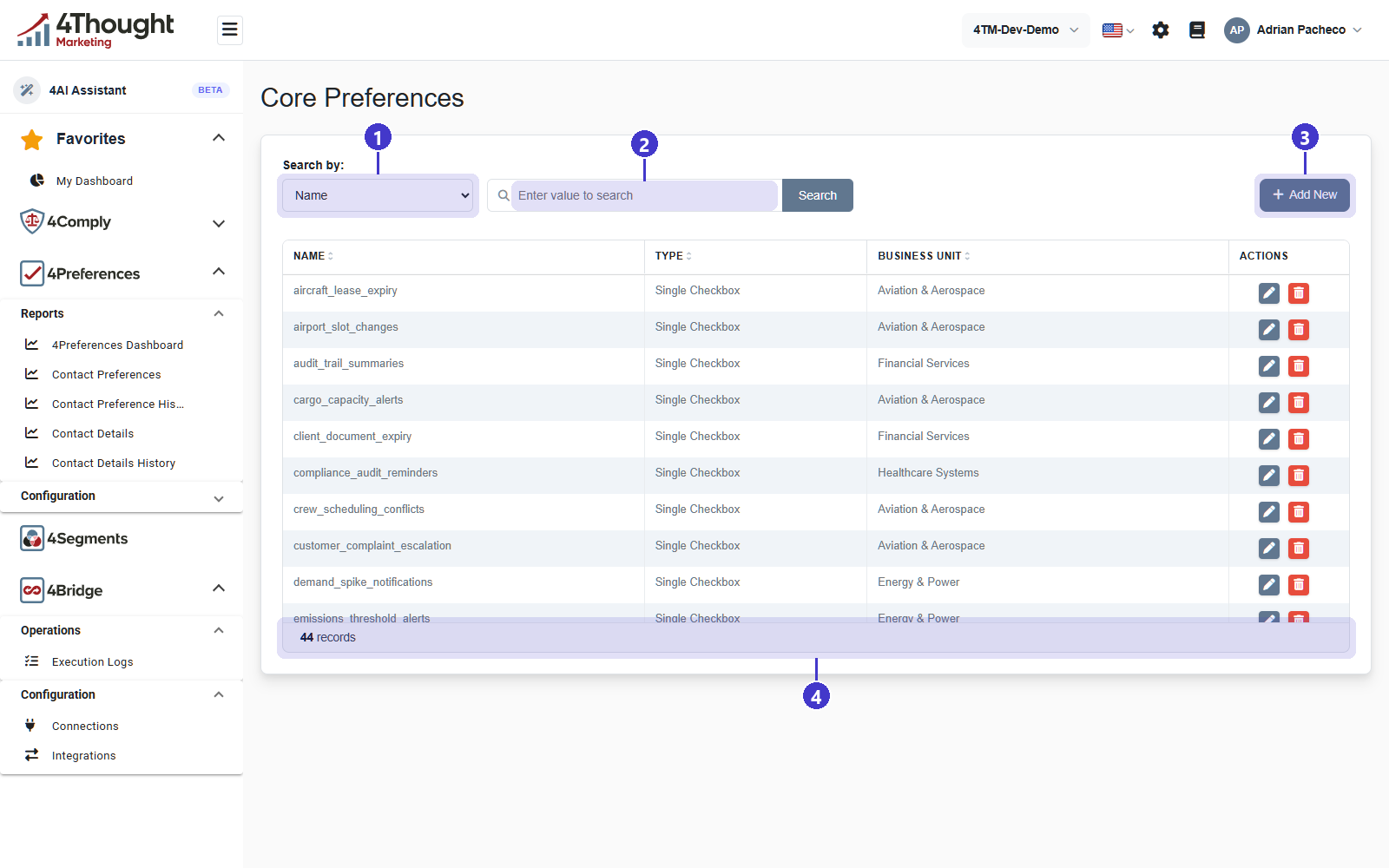
- Search by, which chooses the field the search box applies to: Name, Type or Business Unit.
- The search box, which reads Enter value to search.
- + Add New, which opens the New Core Preference form.
- The record count. The demo tenant used for these figures holds 44 records.
The columns are Name, Type, Business Unit and Actions, and each row carries a pencil to edit and a red bin to delete.
Creating one
+ Add New opens a full-page form rather than a dialog.
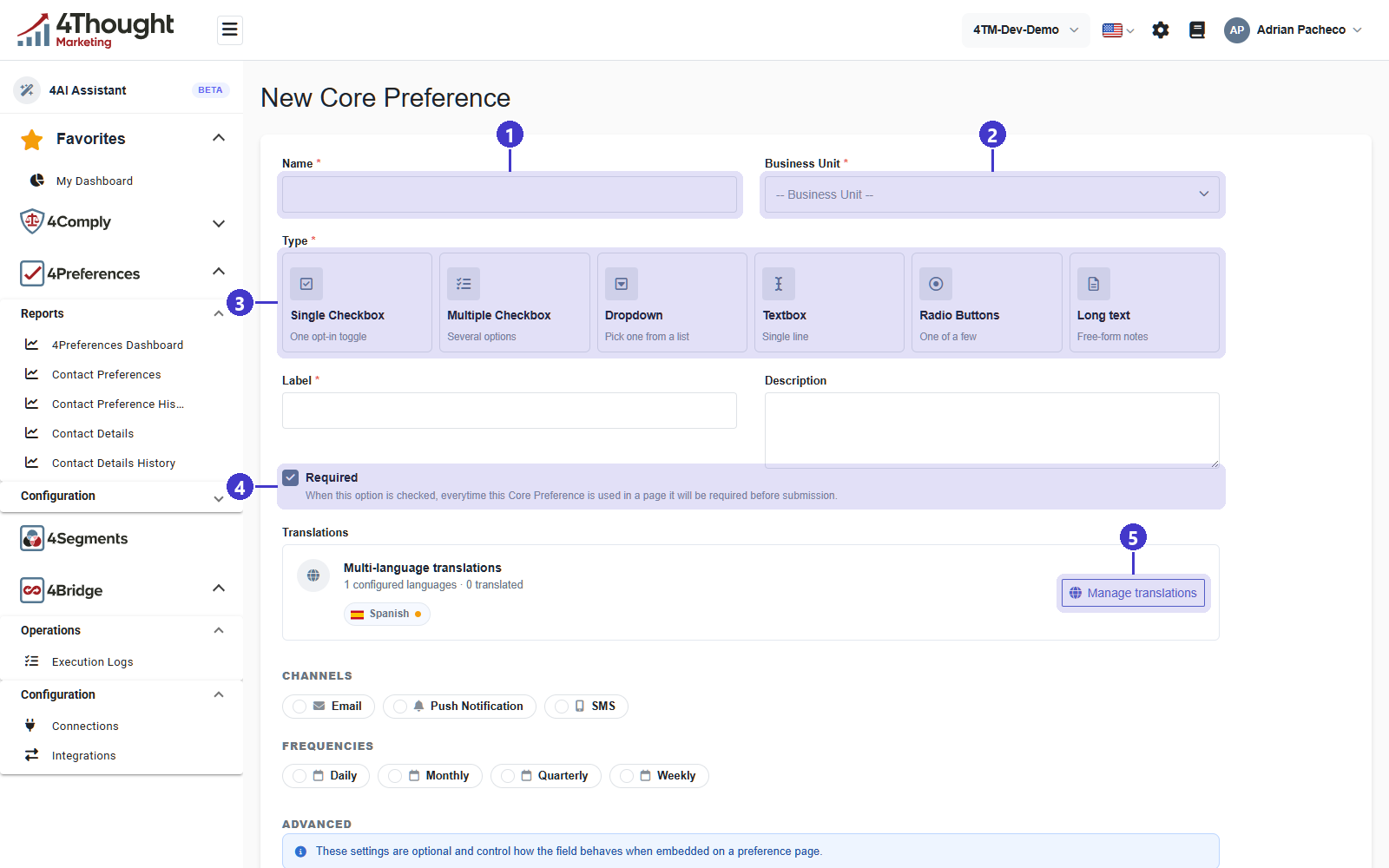
- Name is the internal name, and it is what the Core Preferences list, the page builder and every report show. Keep it short and stable: it is up to 64 characters, and changing it later changes what your colleagues see everywhere.
- Business Unit decides which pages may use this preference. A preference page only offers preferences from its own unit, so this choice is hard to undo in practice.
- Type is the control the contact sees. See the table below.
- Required, whose own line says When this option is checked, everytime this Core Preference is used in a page it will be required before submission.
- Manage translations opens the same board as the Translations screen, filtered to this record. See Preference pages.
Label is what the contact reads on the page, and Description is the helper text under it. Those two are the customer-facing wording, and they are the two fields the translation board asks you to translate.
| Type | The form's own description | Needs a catalog |
|---|---|---|
| Single Checkbox | One opt-in toggle | no |
| Multiple Checkbox | Several options | yes |
| Dropdown | Pick one from a list | yes |
| Textbox | Single line | no |
| Radio Buttons | One of a few | yes |
| Long text | Free-form notes | no |
The three types that offer a list of answers ask for a Preference Catalog as soon as you pick them. The other three do not, and the field disappears again if you change your mind.
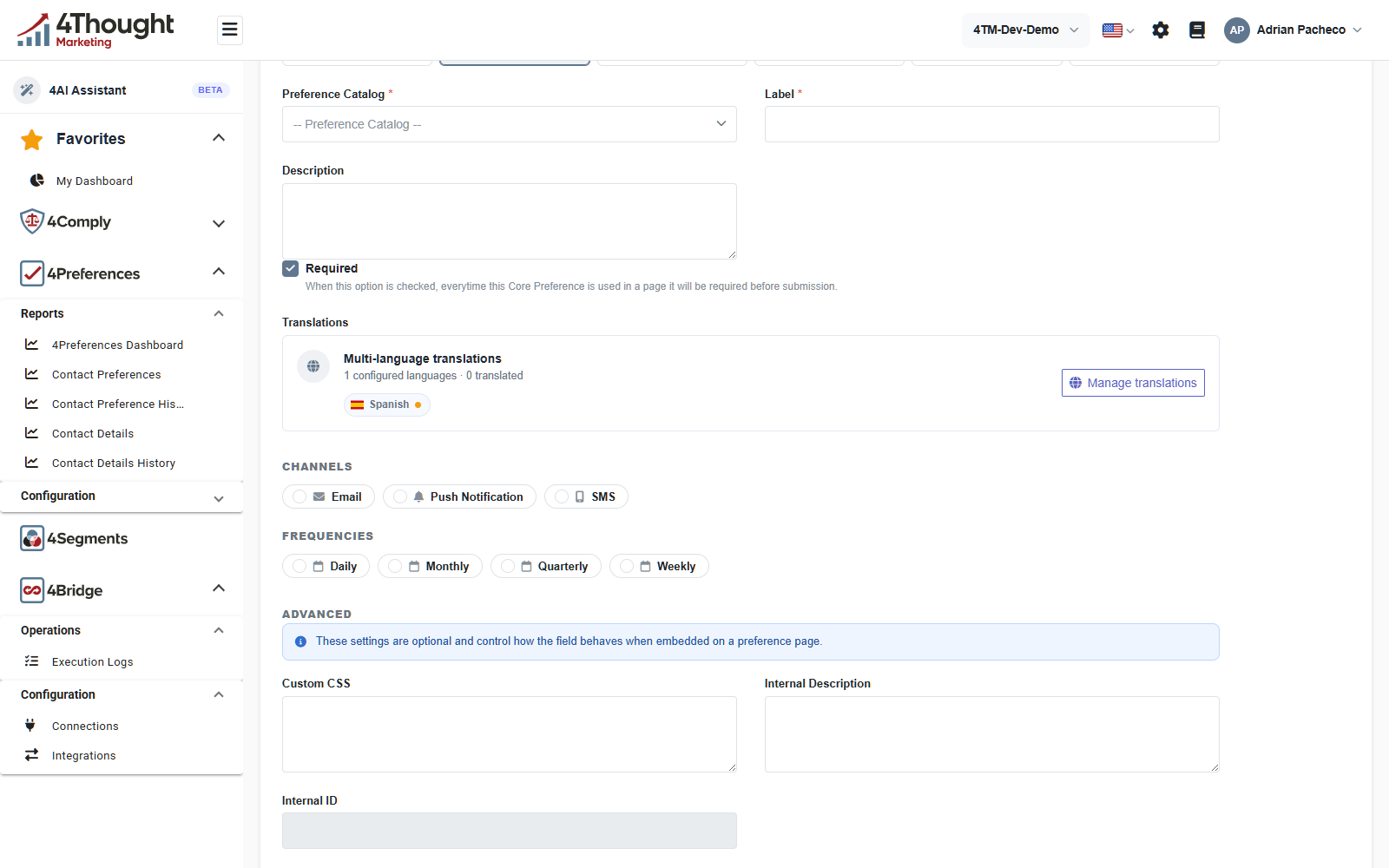
Below the translations panel:
- CHANNELS and FREQUENCIES are rows of toggles, one per channel and frequency configured in the tenant. Whatever you switch on here is what the contact is offered alongside the preference itself. In the demo tenant that is Email, Push Notification and SMS, and Daily, Monthly, Quarterly and Weekly.
- ADVANCED, introduced by the product's own line These settings are optional and control how the field behaves when embedded on a preference page, holds Custom CSS, Internal Description and Internal ID. Internal ID is generated from the name and the business unit and is read-only; it is the key a form submission uses to identify the preference, so the API guide refers to it too.
TODO(review): switching a saved core preference between a type that needs a catalog and one that does not clears the catalog link. Confirm what that does to contacts who already answered the question with the old answer set.
Deleting one
Deleting is checked against everything that uses the preference. If a preference page, a
contact preference or a history row refers to it, the delete is refused and the product
lists what depends on it. Two read-only endpoints,
GET /v1/corepreferences/{id}/checkDependencies and
GET /v1/corepreferences/{id}/dependencies/detailed, answer the same question without
attempting the delete.
Core contacts
A Core Contact is the same shape of record as a core preference, but it collects a fact rather than a choice: a first name, a country, a job title. It has a name, a label, a type, a business unit, translations and an optional catalog, and no channels or frequencies, because a fact is not something you send.
One of them has to be marked as the email identifier, and it has to be on the page. A submission is matched to a contact by that field's value, and a submission that does not carry a non-empty one is rejected with At least one Core Contact field must be marked as the Email Identifier and contains a valid email address.
TODO(review): the email-identifier flag is set on the core contact record but is not shown on the Core Contacts list. Confirm where an administrator sees which field currently holds it, and what happens when two of them are marked.
What a contact answered to a core contact field is stored separately from their preferences, on the Contact Details screen. See Contact preferences.
Preference catalogs
A Preference Catalog is a named list of options. Each option has a code, a value and a position, and the list is what a Multiple Checkbox, Dropdown or Radio Buttons preference offers the contact.
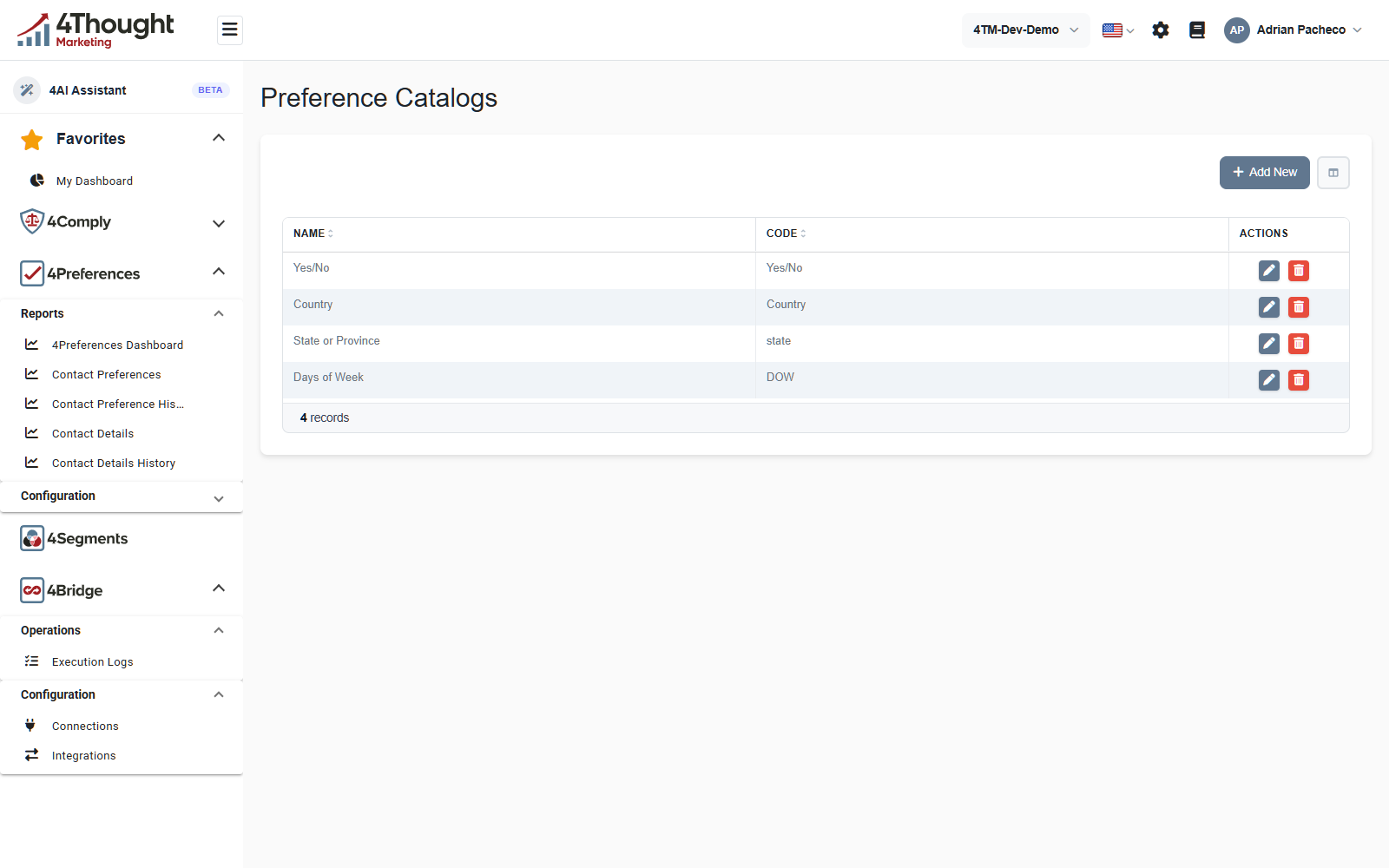
The demo tenant has four: Yes/No, Country, State or Province and Days of Week. The list shows Name and Code; the options themselves are inside each record, reached with the pencil.
A catalog with no options in it cannot be used. The Preference Catalog picker on the core preference form still lists it, greyed out and marked no options, with the tooltip This catalog has no options yet - add options to it first.
Catalogs are tenant-wide, not per business unit, so one Yes/No serves every unit.
TODO(review): the catalog record also carries Depends On and Depends On Logic fields, which suggest one catalog can be conditional on another. Neither appears on the Preference Catalogs list. Confirm whether conditional catalogs are a supported feature or a partial one.
Channels
A Preference Channel is a medium: email, SMS, a push notification. The list shows Name, Code and Description, and the demo tenant has three.
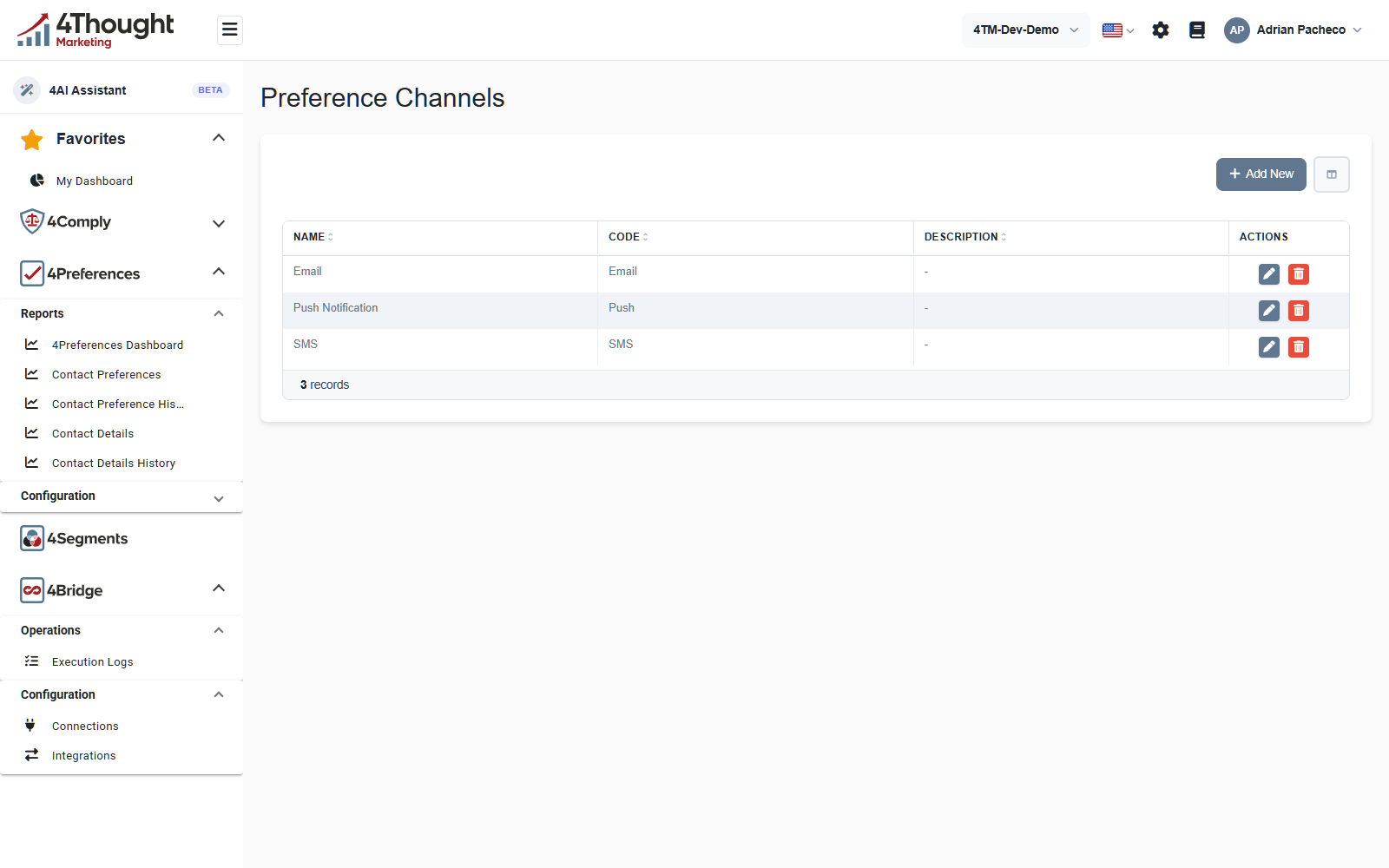
The Code is what a page submission sends, and it does not have to match the name.
Push Notification has the code Push.
Channels are the answer to where a contact wants to hear from you, and a core preference
can offer any subset of them. When a contact removes a channel from a preference they had
already set, 4Preferences raises a ChannelUnsubscribe webhook event. See
Integrations and webhooks.
Frequencies
A Preference Frequency is a rhythm, and it is stored as a count and a unit. The unit can be days, weeks or months, and the list shows the two together in a Frequency column.
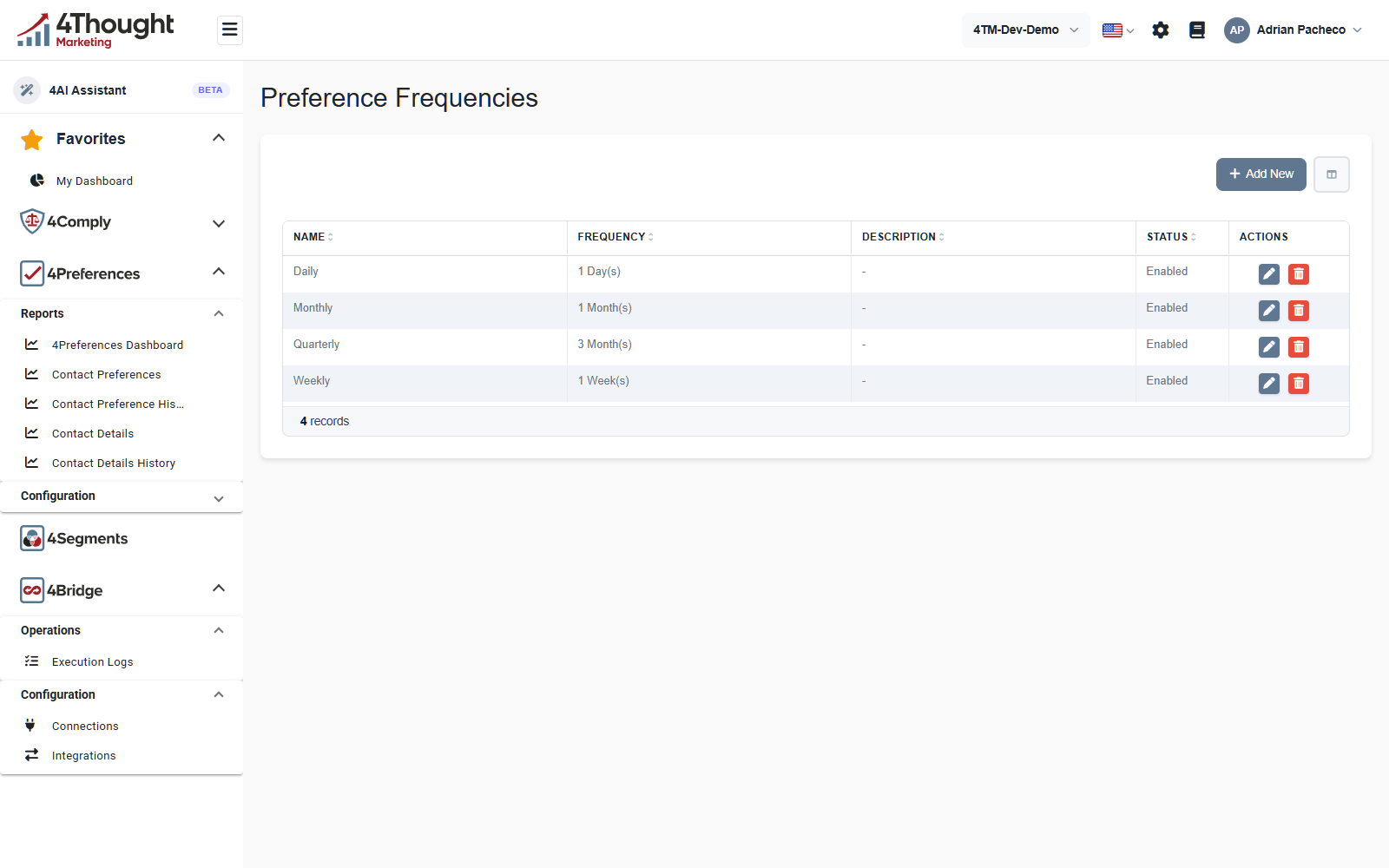
The four in the demo tenant show how the two parts combine. Quarterly is not a unit of its own: it is three months, so its Frequency column reads 3 Month(s). The Name is free text, so name it whatever your contacts will understand.
A frequency's Status is Enabled or Disabled.
TODO(review): nothing in 4Preferences appears to enforce a frequency. The value a contact picks is stored on their Contact Preference and reported, but no send is counted or held back. Confirm that enforcing the cap is the sending system's job, so this page can say so plainly.
TODO(review): the frequency form accepts any whole number for the count, including zero.
Confirm whether a frequency of 0-D means anything, and if not, whether the form should
reject it.
What happens to the catalog on a change
Creating, updating and deleting a core preference each raise a webhook event
(CorePreferenceCreated, CorePreferenceUpdated, CorePreferenceDeleted), and so do the
three matching operations on a core contact. That is how a downstream system learns that
the shape of your preference centre changed rather than just its contents. See
Integrations and webhooks.