Contact preferences
Everything so far has been the shape of the questions. This page is about the answers: what one contact has chosen, when they chose it, and how to find it.
Four screens under Reports hold it, and they pair up.
| Screen | Holds |
|---|---|
| Contact Preferences | what a contact has chosen right now |
| Contact Preference History | every change they have ever made to a preference |
| Contact Details | what a contact has told you about themselves right now |
| Contact Details History | every change to those details |
All four are read-only, and all four start empty. They ask for an email address first, because a tenant can hold millions of contacts and there is no useful "show me everything" view.
Contact Preferences
One row per preference the contact has set. If they have never answered a question, there is no row for it: an unanswered preference and an opted-out preference look the same here, which is why the history screen exists.
Type an address into the box and click Search.
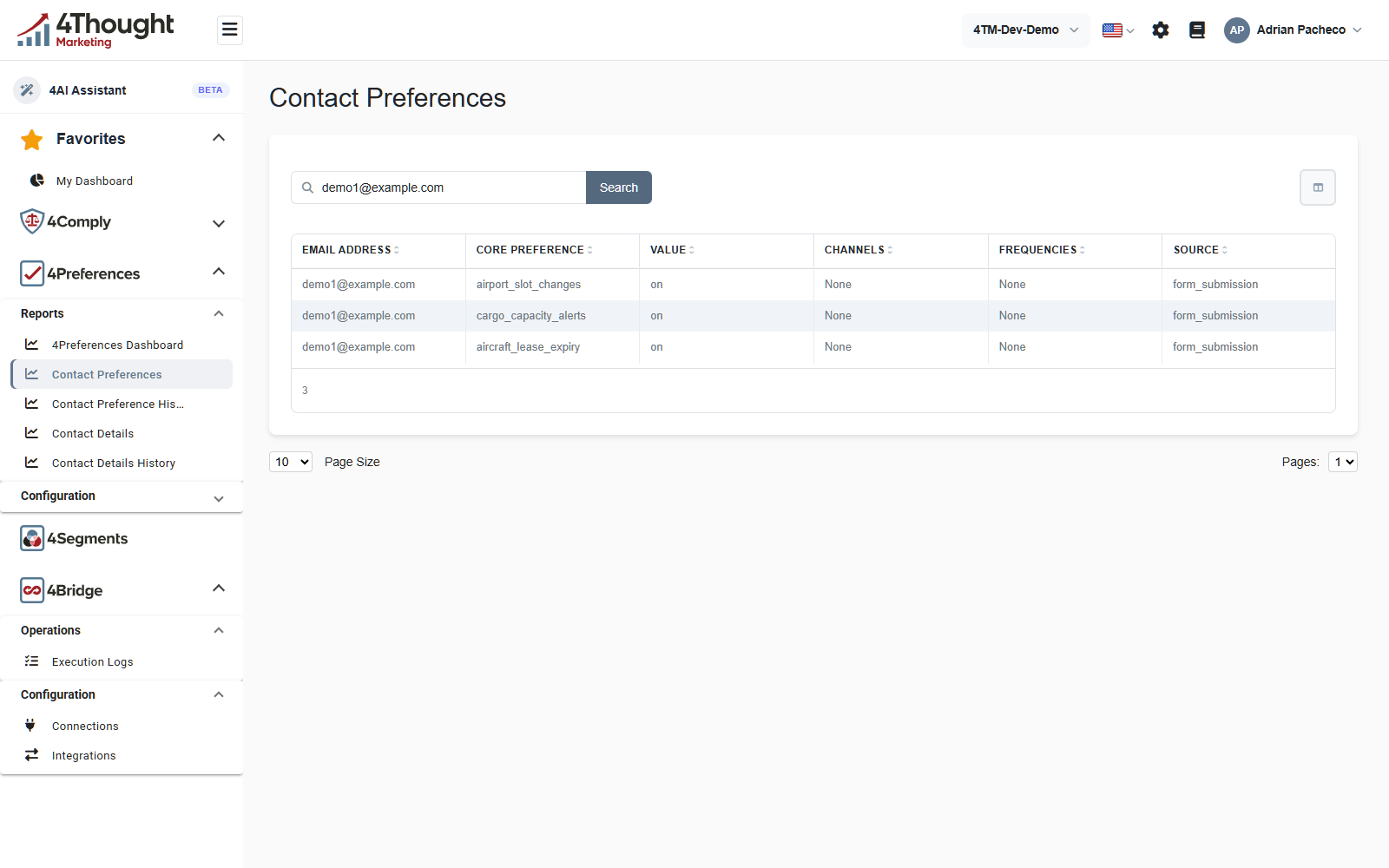
| Column | What it holds |
|---|---|
| Email Address | the contact, which is also the key: there is no separate contact id here |
| Core Preference | the name of the preference from Core Preferences |
| Value | what they chose |
| Channels | the channels they picked for this preference, or None |
| Frequencies | the frequencies they picked, or None |
| Source | where the answer came from |
The figure shows the demo contact demo1@example.com with three preferences, each
Value reading on, each Channels and Frequencies reading None, and each
Source reading form_submission. The email addresses in these figures are illustrative
and the substitution is recorded in this product's sanitisation record.
Value is whatever the control produced, not a fixed vocabulary. A Single Checkbox
ticked gives on. A Dropdown gives the option's value from its
preference catalog. A Long text gives whatever the
contact typed.
Channels and Frequencies read None when the preference did not offer any, which is the case for every preference in the demo tenant. When a preference does offer them, they hold the names of the ones the contact picked.
Source is set by whatever wrote the row.
| Source | Written by |
|---|---|
form_submission |
a contact submitting a preference page |
agent_submission |
a contact finishing a preference agent conversation |
api_direct |
POST /v1/contactpreferences/individual with no source of its own |
An integration calling that endpoint can send any source string it likes, so a fourth
value in this column means somebody chose it deliberately.
How a change gets there
There is one path and everything uses it.
- The contact submits a page, or finishes a chat with an agent, or your code calls
POST /v1/contactpreferences/individual. - For every preference in the submission, 4Preferences writes a Contact Preference History row. Always, whether the answer changed or not.
- Then it updates the current state. A non-empty answer creates or overwrites the row on Contact Preferences. An empty answer deletes that row instead, because an empty answer is an opt-out.
- The same two steps run for the core contact fields, into Contact Details and Contact Details History.
- Webhook events fire for whatever happened. See Integrations and webhooks.
Step 3 is the one to remember. The current-state screen is a snapshot that gets overwritten and deleted; the history screen is append-only and is the record. If you need to answer "what did this contact agree to in March", the history screen is the only screen that can.
Contact Preference History
Same search box, one row per change.
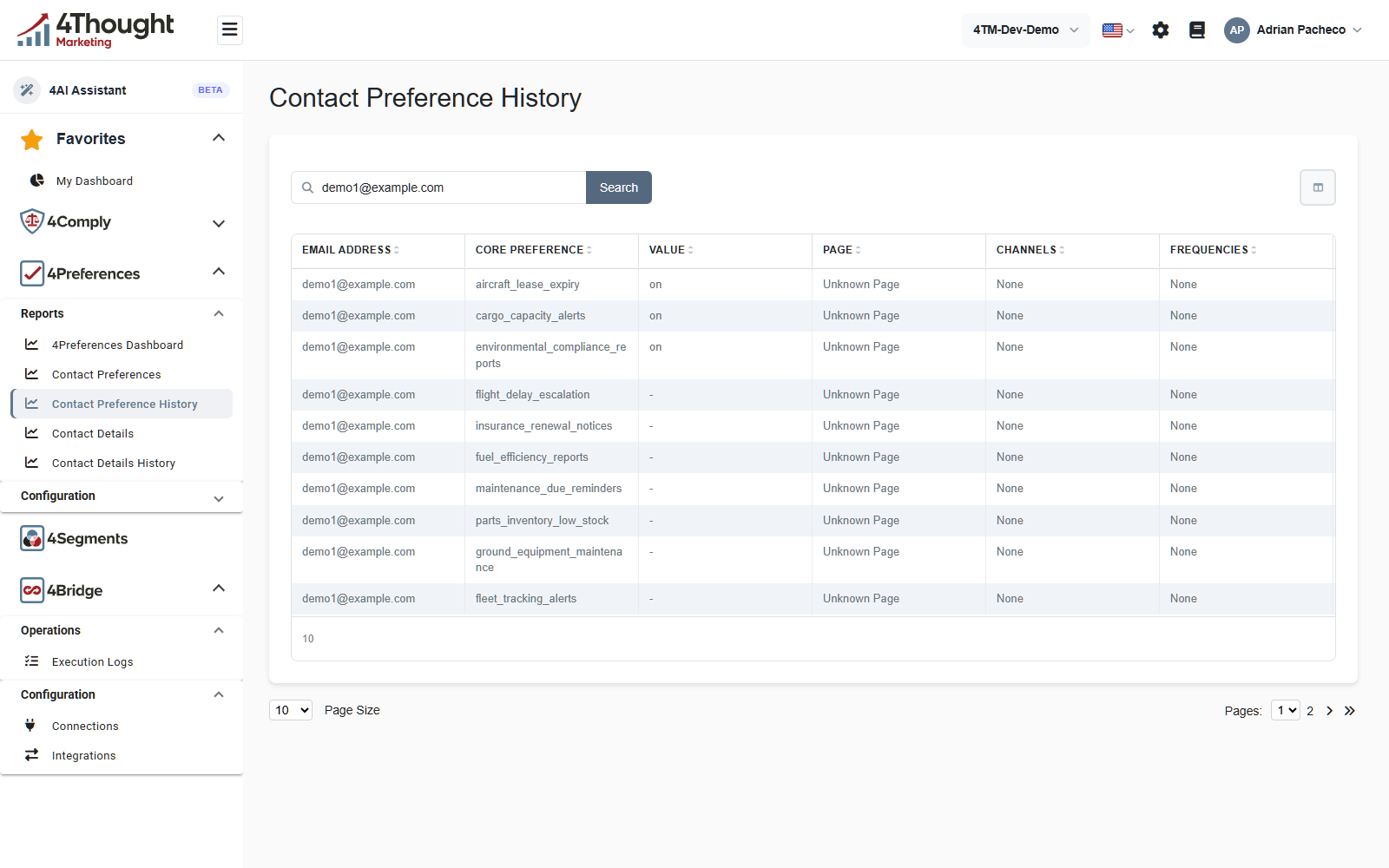
The history carries two columns the current-state screen does not: Page and Date Submitted. The table is wider than the window, so the last columns need a horizontal scroll.
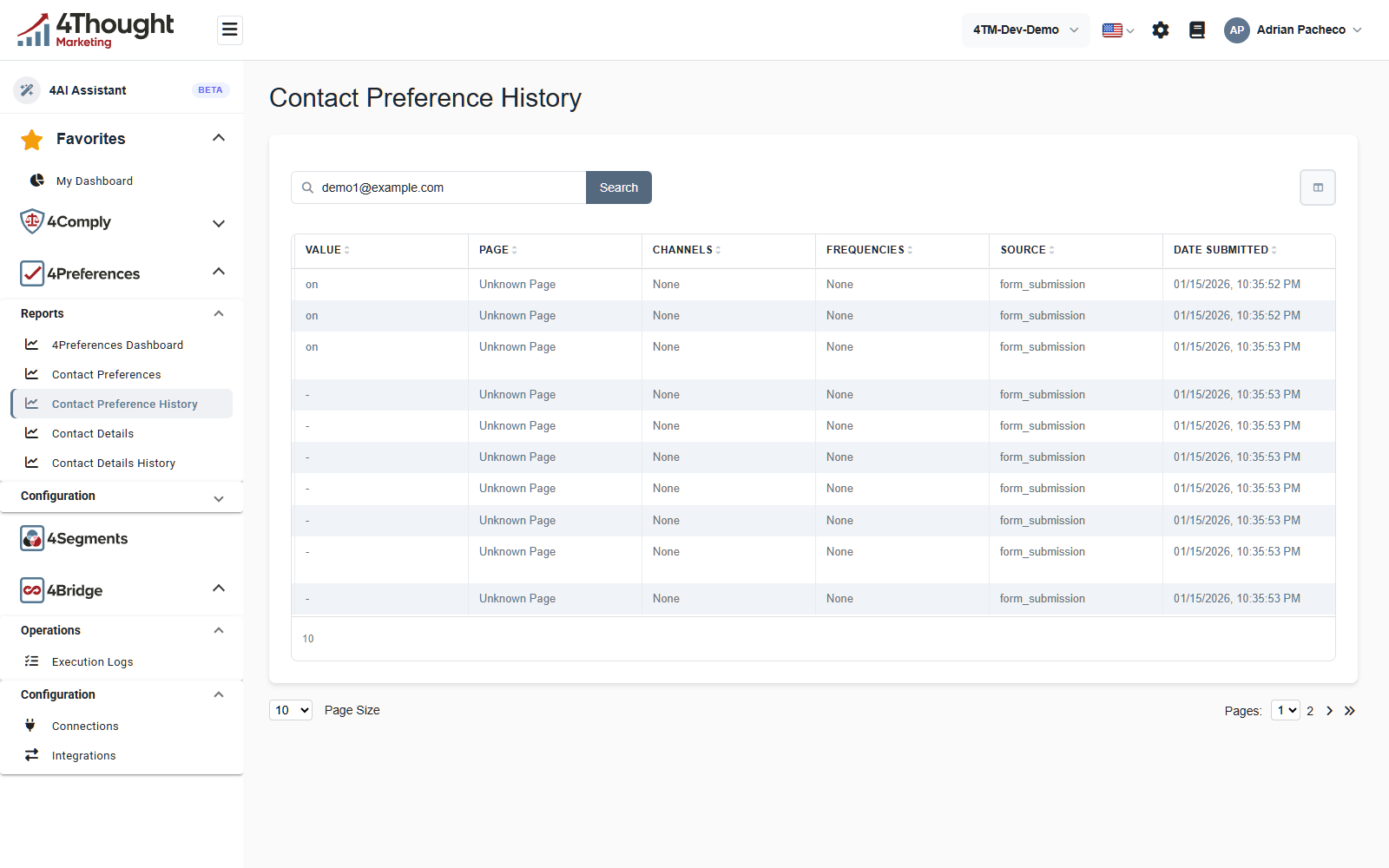
- Value shows a dash where the submitted answer was empty. Those are the opt-outs, and they are the rows that deleted something from Contact Preferences.
- Page names the preference page the change came from. It reads Unknown Page when the stored page id no longer resolves to a page, which is what every row in the demo tenant shows.
- Date Submitted is when the row was written.
TODO(review): every history row in the demo tenant reads Unknown Page even though the pages still exist and the flow report links the same contacts to them. Confirm whether this is demo data written before the pages, or a lookup that does not work.
The history is also where the record for a preference you have since deleted survives. A core preference cannot be deleted while history rows point at it, so the trail does not get broken by a configuration change. See Deleting one.
Contact Details
The same pair of screens for core contact fields rather than preferences.
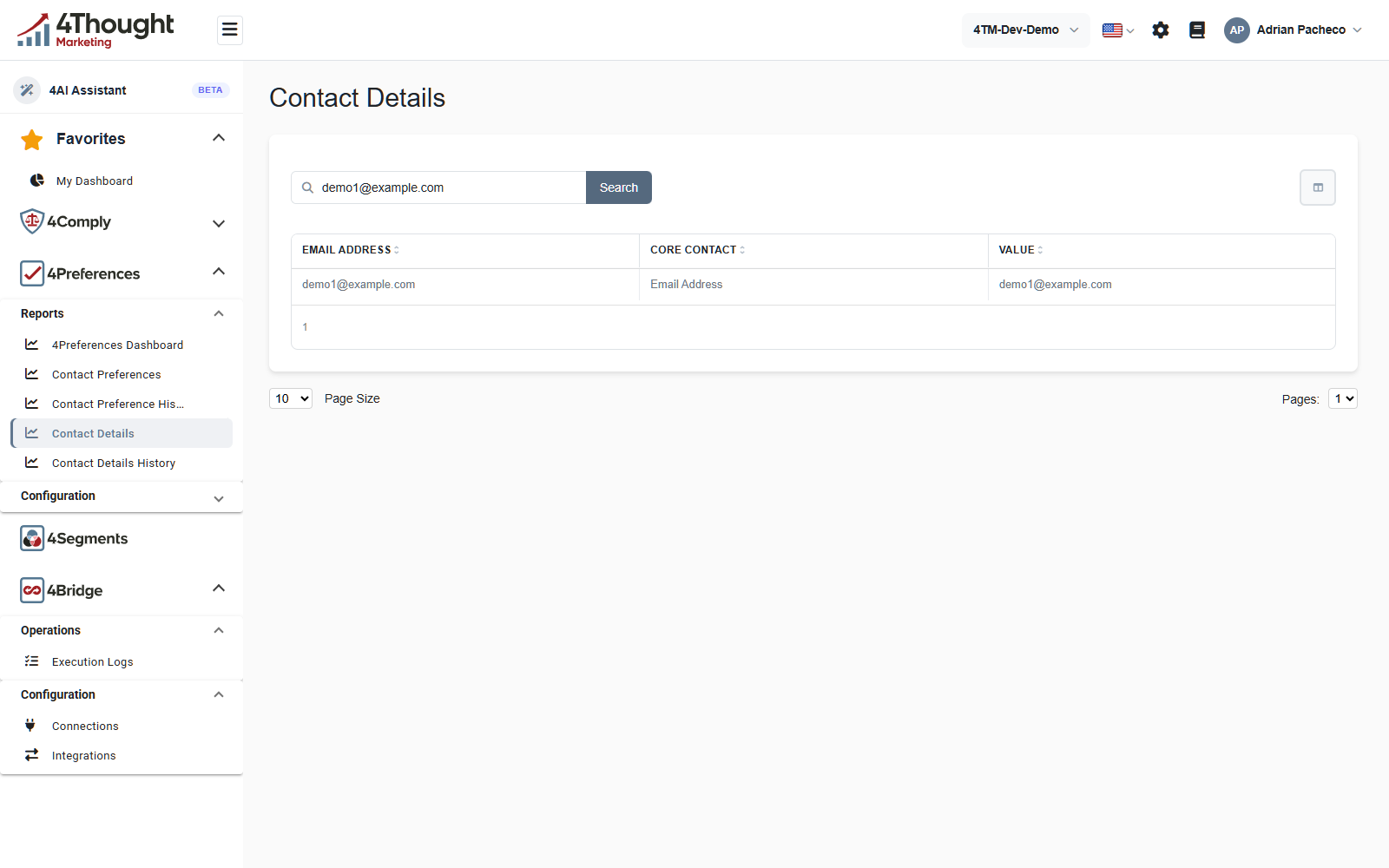
Contact Details has three columns, Email Address, Core Contact and Value, and no source or date. The figure shows the demo contact's one detail: the Email Address core contact field, holding their address.
Contact Details History adds Page and Date Submitted to the same three, and behaves exactly like the preference history: one row per submitted value, appended, including the empty ones that cleared a field.
Finding a contact when you do not have their address
All four screens need an email address, so the practical route in is the Preference Flow Report. Pick a page, pick a preference, and it lists the contacts who chose it, with their addresses. Copy one from there into the search box here.
Reading it from the API
| Endpoint | Returns |
|---|---|
GET /v1/contactpreferences/by-email/{email} |
one contact's current preferences |
GET /v1/contactpreferences/by-id/{id} |
a single preference row |
GET /v1/contactpreferenceshistory |
history rows, with paging and filtering |
GET /v1/contactpreferences and GET /v1/contactpreferenceshistory take the same paging,
sorting and filtering parameters as the rest of the platform, described in
Paging, Sorting and Filtering.
GET /v1/contactpreferences with no filter returns an empty list rather than everything,
which is the same behaviour as the screen.
Writing a preference from your own code is POST /v1/contactpreferences/individual.